Team members with account administration permissions can invite new team members to join KardiaPro directly in the KardiaPro portal.
To add new team members:
- Log into KardiaPro.com
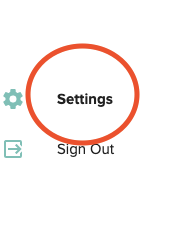
- Click to 'Settings' next to the gear icon on the bottom left of the dashboard to access settings.
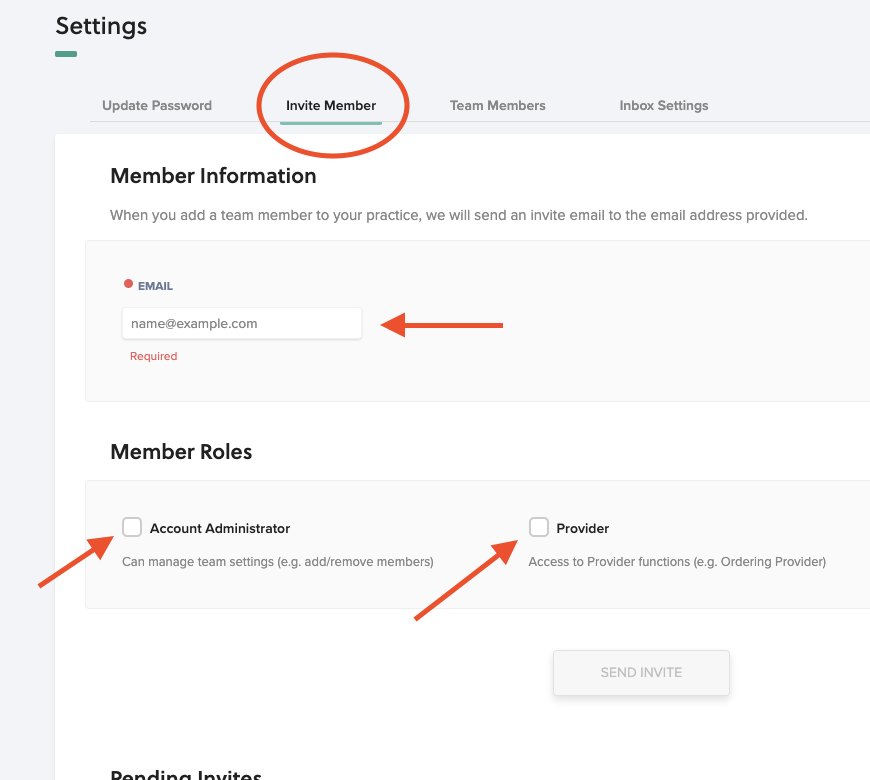
- Select 'invite member' at the top of the page, then type their email in the field(shown below) and select the permissions you wish them to have.
- If the new team member needs access to Kardiastation, please email KardiaProSupport@alivecor.com AFTER they accept the email and finish account creation. Please provide your team name and the name or email of the person who needs access to take recordings on KardiaStation.